
<img height="1" width="1" style="display:none;" alt="" src="https://px.ads.linkedin.com/collect/?pid=8778010&amp;fmt=gif">
Skip to content
genetiq-cloud-yellow-grey-background-4k

Millwork and product assembly

Manage assembled, manufactured and value-added products within the same connected ERP system, helping LBM businesses coordinate materials, product setup, inventory and customer orders more effectively.
02-assembly-management-stylised-1


How can ERP improve millwork and product assembly for an LBM business?  

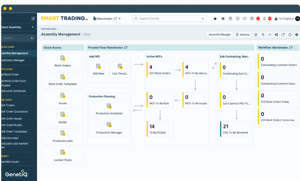
GenetiQ helps LBM businesses manage product assembly using works orders, production scheduling and connected assembly workflows within the ERP system. 

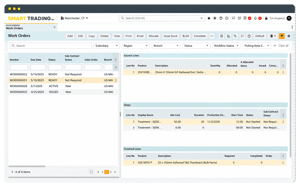
Works orders can be created from sales orders containing assembly-type products, helping teams connect customer demand with production activity, quantities, timing and additional costs.


15-production-scheduler-stylised

Manage assembly work with greater control

Connect customer demand, works orders and production activity in one ERP workflow so teams can plan assembly work, track progress and manage related costs more consistently. 

Works orders

Create and manage works orders for assembly-type products, including works orders generated directly from relevant sales orders.


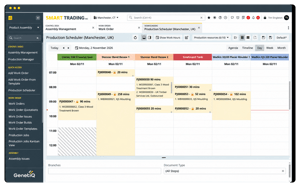
Production scheduling Use production scheduling to plan assembly activity and help teams manage when work needs to be completed.  
Assembly issues, builds and breaks

Track assembly activity including issues, builds and breaks so teams have clearer visibility of what is happening in the process. 

 
Sales order connection

Link assembly activity back to customer demand by creating works orders from sales orders containing assembly-type products.

 
Production quantities and timings Specify quantities, dates and production timings within the works order to give teams a clearer view of what needs to be produced and when.  
Additional cost tracking

Add relevant additional costs, such as subcontracting or purchase order related costs, against the works order where configured. 


Keep assembly work connected to customer demand

GenetiQ connects assembly work with the originating sales order, helping teams plan what needs to be produced, track works orders and manage production timings, quantities and additional costs within the same workflow.

Connect sales orders to production

Create works orders from sales orders containing assembly-type products so customer demand can feed directly into production activity.

Plan what needs to be produced

Use production scheduling, dates, timings and quantities to give teams clearer visibility of upcoming assembly work.

Track assembly costs and progress

Manage workflow status and record additional costs, such as subcontracting or purchase-order-related costs, against the works order where configured.
24-work-orders-stylised

See how GenetiQ supports millwork and product assembly

See how sales orders, works orders, production scheduling and assembly costs can stay connected in one ERP workflow. 

Frequently asked questions

How does GenetiQ support millwork and product assembly? GenetiQ supports product assembly through works orders, production scheduling and connected assembly workflows, helping teams manage customer demand and production activity within the same ERP system. 
Can works orders be created from sales orders? Yes. Works orders can be created from sales orders that contain assembly-type products, helping connect customer demand directly with the work that needs to be completed. 
Can GenetiQ help schedule assembly work?

Yes. GenetiQ supports production scheduling so teams can plan quantities, dates and timings for assembly work and see what needs to be produced. 

Can additional production costs be tracked?

Yes. Where configured, additional costs such as subcontracting or purchase-order-related costs can be recorded against the works order. 

Does GenetiQ track progress through the assembly process? Yes. GenetiQ supports assembly activity such as issues, builds and breaks, helping teams see the status of work as products move through the assembly process