

Trade counter POS software for LBM suppliers
Help counter teams process sales, check live stock, apply customer pricing, manage returns and protect margins from one connected GenetiQ POS workflow.

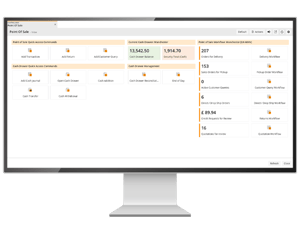
Trade counter workflows supported by GenetiQ
Give counter teams the tools to process sales quickly, answer customer questions and manage pricing decisions with more confidence.
Built for busy trade counters
Counter teams need fast answers while the customer is standing in front of them. GenetiQ helps staff search products, check stock, view pricing, process sales, manage returns and protect margin without jumping between disconnected systems
- Fast product lookup
- Live stock and pricing
- Controlled discounts
- Cash and account customers
- Returns and deliveries
- Touchscreen and barcode options
.png?width=300&name=header%20image%20for%20USA%20homepage%20(2).png)
Generic POS vs ERP-connected trade counter POS
A generic POS system can process transactions. But lumberyards and building materials suppliers need more than a till. Counter teams need product, stock, pricing, customer, margin and order information connected to the wider business.
Part of a connected LBM ERP platform
Point of sale works best when it is connected to stock, pricing, orders, customer history, finance and reporting. GenetiQ brings these workflows together so counter teams can serve customers with better information.
See how GenetiQ helps LBM teams manage stock visibility, availability and inventory control.
Connect warehouse activity with quotes, sales orders and fulfillment workflows.
Connect sales activity with picking, packing and warehouse workflows.
Turn warehouse and inventory data into clearer operational insight.
Connect transactions, payments and financial controls across the business.
Connect customer activity with relationship and sales insight.
See trade counter POS in action
See how GenetiQ helps lumber and building materials suppliers process counter sales and protect margins from one connected POS workflow.
See how fast point of sale transactions work in GenetiQ
Watch how GenetiQ helps trade counter and point of sale teams process transactions quickly, whether it’s a simple cash sale, a delivered order, a mixed collected and delivered sale, or a customer order copied from a spreadsheet.
This video shows how GenetiQ keeps counter sales fast, flexible and easy to manage.
Watch the video now 👉
Frequently asked questions
A. It's a point-of-sale system designed to improve service levels with fast, accurate order processing and real-time visibility of margin and stock information.
A. It allows you to set maximum discount amounts or percentages, create approval workflows for discounts, and set up customer-specific pricing rules. It also allows you to create additional buffers on a user's profile or on a product, so an inflated cost is shown, helping to protect margins.
A. Yes, you can adjust the capability to give away margin based on responsibility levels, with options for password-protected overrides for senior staff.
A. Yes, you can set individual discounts on regular purchases and standard prices on other products for specific customers.
A. Yes, it can highlight alternative products with better margins and show related products for upselling at the point of sale.
A. Absolutely. You can process goods being taken, delivered, and returned all in a single transaction.
A. It's a screen that shows cost price, selling price, margin, and discount levels, allowing on-the-fly price negotiations.
A. The system has a 'lost sale' feature to record customer requests for items not in stock, which can guide future purchasing decisions.
A. Yes, it can manage and price products in various formats, such as single units, double units, or split packs.
A. You can easily view a customer's product history, including all quotations, orders, deliveries, invoices, and credit notes.
A. Yes, there's an ePOS touch-screen option for environments that require quick, simple processing of orders and payments.
A. Yes, the system is configurable to your business requirements and can be customized for each end user based on priorities and controls set by your business.
A. Yes, you can set up quantity breaks in the pricing rules for customers.
A. The lost sales analysis feature can guide purchasing decisions on what items to stock by season, volume, or customer demand.
A. Yes, it can process transactions for both cash customers and those with accounts, including applying agreed price lists for account customers.