


<img height="1" width="1" style="display:none;" alt="" src="https://px.ads.linkedin.com/collect/?pid=8778010&amp;fmt=gif">
Skip to content
Merchant →

Manage your trade counter, ecommerce, remote teams, CRM, multi-branch and mobile warehouse.

Wholesale and Distribution →

Manage stock control, multiple warehouses, multiple branches and online sales.

Retail →

Inventory management, business intelligence, order processing, CRM, EPOS, ecommerce and financials.

We cater to diverse industries. If your sector isn't listed above, contact our experts to explore potential compatibility.    Are we a good fit →

GenetiQ

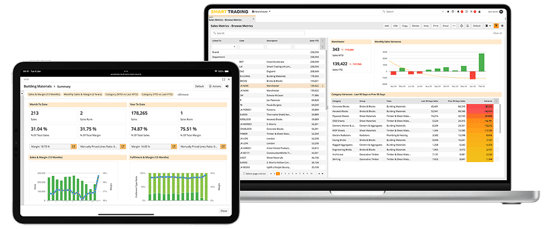
GenetiQ ERP Laptop and iPad

A flexible ERP platform for merchants, wholesalers and distributors, designed to support complex operations and the way your business works.

GenetiQ Xline

GenetiQ Xline

Business management software for smaller businesses, bringing together the essential tools to manage day-to-day operations.


Not sure which GenetiQ product is right for your business?  Compare GenetiQ solutions

genetiq-cloud-yellow-grey-background-4k

EchoPay integration with GenetiQ

Make collecting payments easier with Pay by Bank.

Send secure payment links directly from GenetiQ, giving your customers a convenient way to pay from their bank account while helping your business reduce reliance on card payments.

EchoPay logo

Benefits of connecting EchoPay with GenetiQ

Reduce payment costs
Offer an alternative to card payments that could help reduce processing costs, particularly on higher-value transactions.
Make remote payments easier
Send payment links by email or SMS without needing customers to visit your trade counter or share card details over the phone.
Give customers more choice
Offer Pay by Bank on its own or alongside card payments when Clover is configured.
Secure payment authentication
Customers authorise payments through their own banking app or online banking service.
Manage payments within GenetiQ
Create payment requests from sales orders and invoices and monitor their status within your ERP system.
Stay in control of payment requests
Choose the payment options, amount and description when creating a request to suit your customer's needs.

How it works

1
Create a payment request
Generate a payment link from a sales order or invoice in GenetiQ, confirming the amount and payment options.
2
Send the link to your customer
Share the secure payment link by email or SMS.
3
Let your customer pay
Your customer selects their bank and authorises the payment through their banking app or online banking service.
4
Track payment status
Monitor the payment request within GenetiQ as its status is updated.

Getting started

What you need
  • A supported GenetiQ system
  • An EchoPay account
  • Pay by Link functionality configured within GenetiQ
  • Clover configured if you also want to accept card payments
Speak to an expert

Let’s talk about EchoPay

Looking to reduce payment processing costs or give your customers more ways to pay? Talk to our team about how EchoPay could work with your GenetiQ system.

EchoPay integration FAQs

Answers to common questions about Pay by Bank with GenetiQ.
What is EchoPay and how does it work with GenetiQ?

EchoPay is an open banking payment solution that lets you send payment links from GenetiQ, giving customers the option to pay directly from their bank account.

Can EchoPay help reduce my payment processing costs?

Pay by Bank can offer a lower-cost alternative to card payments, particularly for higher-value transactions. Actual costs and potential savings depend on your payment arrangements.

Do I need a Clover merchant account to use EchoPay?

No. You can use EchoPay for bank-only payments without a Clover merchant account. The relevant payment integration components still need to be configured within GenetiQ.

Can I offer both card payments and Pay by Bank?

Yes. When EchoPay and Clover are both configured, you can give customers the choice of paying by card or directly from their bank account.

Can I send payment links for sales orders and invoices?

Yes. You can create payment requests from supported sales orders and individual sales invoices in GenetiQ and send them to customers by email or SMS.

Can I choose the amount my customer pays?

Yes. The payment request defaults to the outstanding amount, but you can change the amount and description before sending the link.

How do I know when a customer has paid?

You can monitor payment requests within GenetiQ. Payment statuses are checked and updated periodically, helping your team keep track of outstanding requests.

Can I refund a Pay by Bank payment?

Refunds for Pay by Bank payments need to be handled separately, for example through a bank transfer or credit. They cannot be processed against the original EchoPay transaction.

Is EchoPay available in the UK and Ireland?

The integration is designed for businesses in the UK and Ireland. Speak to our team to confirm availability for your business.

Which GenetiQ applications support EchoPay?

EchoPay is supported in GenetiQ browser and desktop applications, subject to the relevant release and configuration requirements.

How do I get started with EchoPay?

Speak to our team about your current payment processes and GenetiQ setup. We can help you understand the requirements for connecting EchoPay with your system.

Make collecting payments simpler

Discover how Pay by Bank can complement your existing payment processes with GenetiQ.