




Mobile warehouse
management software
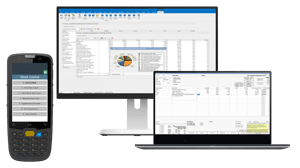
Manage warehouse stock and everyday tasks with handheld barcode scanning. GenetiQ's Mobile Warehouse Solution (MWS) supports goods receiving, stock movements, picking and stocktaking.
Mobile Warehouse Solution (MWS)
Bring warehouse tasks to your handheld devices
GenetiQ's Mobile Warehouse Solution (MWS) extends supported warehouse workflows to handheld devices, so your team can check stock information and record activity where work takes place.
Use barcode scanning to support everyday tasks including:
- Goods receiving and put-away
- Stock enquiries, bin assignments and transfers
- Order picking and packing
- Full, partial and rolling stocktakes
MWS provides a dedicated mobile warehouse workflow alongside the wider stock and inventory management capabilities of GenetiQ. For broader stock visibility, replenishment and inventory control, see GenetiQ Stock & Inventory Management.
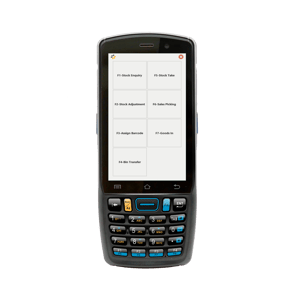
Handheld devices for warehouse operations
MWS extends supported GenetiQ warehouse workflows to handheld devices, helping staff record stock movements and look up information at the point of activity.
- Barcode-based tasks: Scan stock to support enquiries, goods receiving, picking and stocktaking.
- Device setup: Handheld configuration and connectivity depend on your existing system and warehouse environment.
- Product scope: GenetiQ Access is a separate mobile application offering. Ask the team which solution and functions are appropriate for your setup.
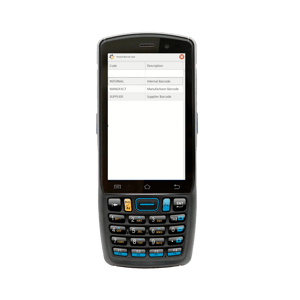
Warehouse stock workflows
Check, move and count stock
- Stock enquiries: Scan a barcode to look up available stock information, including quantity and product details.
- Bin assignment: Associate products with storage locations and identify where goods should be put away.
- Barcode assignment: Assign inner and outer barcodes where supported by your stock setup.
- Stock transfers: Record movements between bins or locations.
- Product labels: Request labels for printing through the configured printer workflow.
- Stocktaking: Record full, partial or rolling counts using handheld devices.
- Stock adjustments: Record supported stock corrections close to where the stock is held.
- Put-away: Receive goods into a holding location before moving them to storage.

Picking and despatch
Pick, pack and prepare orders
- Order picking: Send picking instructions to warehouse staff using handheld devices.
- Sales packing: Record packages and the items they contain as part of the picking or packing process.
- Delivery notes: Support sales delivery-note creation through the configured picking or handheld workflow.

Goods-in and purchasing
Receive goods and manage supplier returns
- Goods receiving: Record incoming deliveries at the point of receipt.
- Purchase requisitions: Raise requisitions from the stock location, where supported.
- Supplier returns: Record purchase return notes through the handheld workflow.