


Still managing deliveries the hard way?
Planning deliveries across spreadsheets, managing multiple vehicles, and trying to keep track of progress on the road can quickly become hard to control. Transport Scheduler gives you a clearer, more structured way to plan, assign and track deliveries, all in one place.
Sound familiar?
- Planning deliveries manually or across spreadsheets
- Struggling to keep track of delivery progress
- Managing multiple vehicles or routes without a clear overview
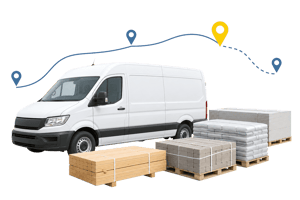
Bring control and clarity to your delivery operations
When deliveries are planned and tracked in one place, it’s easier to stay organised, respond quickly
when things change, and reduce the time spent updating schedules manually.
With Transport Scheduler, you can:
A clearer way to plan and manage deliveries
For wholesalers, merchants and distributors, deliveries are a core part of your day-to-day operations - but managing multiple drops, collections and routes can be difficult to manage efficiently.
This module brings everything together in one place, helping you organise deliveries, assign them to vehicles and drivers, and maintain visibility at every stage.
How it works in practice
The module is built around journeys, grouping together delivery and collection documents in a structured way.
A visual scheduling screen makes it easier to organise work and adjust plans without adding complexity.
Group delivery and collection documents
How businesses use it day to day
Already using vehicle tracking?
We integrate with a wide range of tracking providers, so you can bring tracking data into your delivery planning.
If your provider isn’t listed, we can work with you to create an integration.



Setup, pricing and FAQs
To begin using this module, you’ll need to set up the key elements that support your delivery process:
• Vehicles, drivers, transport filters and company settings
• Product weight data for capacity-related features
• Bing Maps API key for map-based planning
To get the most out of the module, there are a few setup steps and requirements to be aware of:
• Release / Version Availability: R38
• Dependencies: Setup of vehicles, drivers, filters and company settings
• API Requirements: Bing Maps API key required for map-based planning
Additional notes:
• Some actions require manual intervention (e.g. rescheduling uncompleted drops)
• This module helps you plan and manage journeys, but it does not optimise delivery routes
Pricing includes a subscription for the module and consultancy days to support implementation.
Costs are based on fleet size and specific requirements — your account manager will confirm the details.
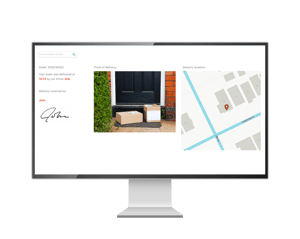
You can extend this module with additional tools to improve delivery visibility and customer service, including Proof of Delivery (POD) and GenetiQ delivery tracking.
See how it could work for you
If you’re looking for a more structured, visible and controllable way to manage deliveries, this module can help you bring structure and visibility to your delivery process.
Speak to your account manager to explore how it fits your operation.